
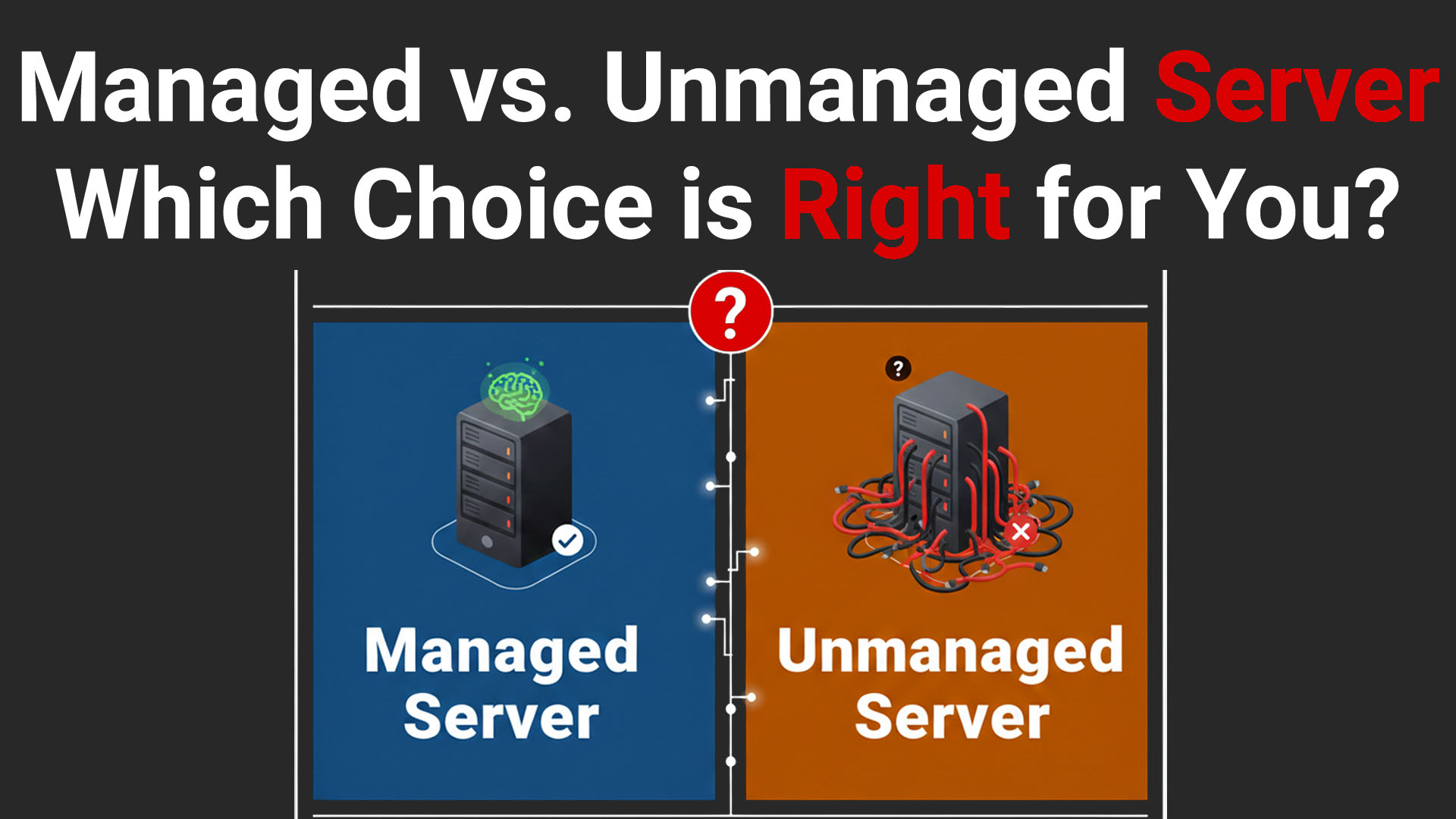
Managed vs. Unmanaged Server: Which Choice is Right for You?
1. Introduction
In the hosting industry, there are two main service delivery models: Managed and Unmanaged. It is important to understand that both are standard and valid options, but they address completely different needs.
This article explains the difference between Managed and Unmanaged servers, what MivoCloud is responsible for, and what remains the customer’s responsibility. Understanding this from day one helps prevent misunderstandings, downtime, and unexpected risks later.
Many clients choose a server based solely on hardware specifications (CPU, RAM, disk), ignoring the most important factor: who is responsible for the software functionality? The fundamental difference between these services lies not in equipment performance, but in the level of responsibility and technical involvement.
2. What is an Unmanaged Server?
An Unmanaged server is a "Do-It-Yourself" (DIY) solution. In this scenario, the provider (MivoCloud) is responsible exclusively for the physical infrastructure and the network.
What the provider offers:
Functional hardware and power supply.
Internet connectivity (network and IP addresses).
Console access (KVM/VNC) for operating system installation.
Server availability at the physical level (Hardware Uptime).
What is NOT included:
Software installation or configuration (after the initial setup).
Operating system security updates.
Firewall configuration or antivirus protection.
Automatic backups (unless purchased and configured separately by the client).
Technical support intervention if an update "breaks" the website.
Main Advantage: The client gets total control (root/administrator) and complete freedom of configuration without restrictions from the provider.
3. Client Responsibilities on an Unmanaged Server
By choosing an Unmanaged server, you become your own System Administrator (SysAdmin). The responsibility for the correct operation of the software lies 100% with you.
The list of tasks includes, but is not limited to:
OS Installation and Maintenance: Choosing a Linux/Windows distribution, disk partitioning, and regular updates (kernel, packages).
Important note: When ordering a server, we offer a selection of popular operating systems and perform their automatic initial installation. Further administration is up to you.
Security: Configuring ports, restricting SSH access, installing SSL certificates.
Web Services: Installing and optimizing Apache/Nginx, PHP, MySQL/MariaDB.
Backups: Creating a backup strategy, testing restoration, and storing copies on external storage.
Monitoring: You must monitor whether the server is accessible, if the disk is full, or if the processor is overloaded.
4. Possible Risks on an Unmanaged Server
Without professional administration, such servers often become targets for attacks because many remain with default settings, which are insecure.
Unpatched Vulnerabilities: Outdated software is an open door for hackers. Therefore, immediately after purchasing a server, you must update all available packages.
Unauthorized Access: Weak passwords or open ports allow intruders to seize control. Often, users lacking deep knowledge in configuration forget to enable or correctly configure a firewall.
Ransomware Attacks: Data can be encrypted by attackers demanding a ransom. On an Unmanaged server, recovery is impossible without a valid external backup managed by the client.
Data Loss: A wrong command or incorrect configuration can permanently delete data.
5. What Is a Managed Server?
A Managed Server is a service in which the provider’s technical team assumes responsibility for the health of the server’s software environment. Essentially, it is a technical partnership. The service is provided for a fee, but by investing in it, you are buying peace of mind.
What the server administration service at MivoCloud includes:
24/7 Server Monitoring
Server availability and performance (ping, load, disk, RAM)
Critical services: Web (Apache/Nginx), MySQL/PostgreSQL, Mail, FTP, SSH
Automated alerting and proactive intervention
Server-Level Security (OS Level)
Regular operating system updates and critical package updates
Firewall configuration and maintenance (iptables / firewalld)
Fail2Ban configuration and maintenance
Hardening of SSH, PHP, and MySQL
System-level malware scanning
Standard Service Administration
Installation and configuration of: Apache/Nginx, PHP, MySQL/MariaDB/PostgreSQL, FTP, Mail
Restarting failed services
Server-level performance optimizations
Backup & Recovery (Server Level)
Configuration of an automated backup system
Verification of backup functionality
Backup restoration upon request
Security Incident Response at the Server Level
Brute-force attacks
SSH exploitation attempts
Operating system service exploitation
Malware affecting the operating system
24/7 Technical Support for Server Infrastructure Issues
Server not responding
Failed or stopped services
Network issues
Operating system problems
Responsibility Matrix
| Area | Unmanaged | Managed |
| Hardware & Network | MivoCloud | MivoCloud |
| OS Updates & Firewall | Customer | MivoCloud |
| Monitoring & Alerts | Customer | MivoCloud |
| Website / App Code | Customer | Customer |
| Plugins / CMS Security | Customer | Customer |
| Backups (OS level) | Customer | MivoCloud (if configured) |
The main goal is reducing operational risks and freeing up the client's time, allowing them to focus on business rather than Linux commands. This is a significant competitive advantage in your work.
6. Backups and Data Recovery
Backups are the last line of defense, but they also have technical limitations that must be understood.
Role of Backups: In case of a disaster (accidental deletion, data corruption, attack), we attempt to restore data from a previous copy. The frequency of backups (e.g., weekly or daily) is discussed individually with the client.
Retention Period: Copies are usually kept for a limited time (e.g., 30-60 days).
Risk of Infected Backups: In the case of an attack with a "dormant" virus (which hides in the system for some time before activation), it is possible that all recent backups also contain the virus.
Example: If a virus entered the server 30 days ago but activated today, restoring last week's backup will restore the virus as well.
Restoration Guarantee: We guarantee the process of file restoration, but we cannot guarantee that the restored files will be "clean" if the source was compromised prior to the backup creation.
Backups are a recovery tool, not a guarantee of clean or malware-free data.
7. Limitations of a Managed Server (VERY IMPORTANT)
The administration team applies "best practices" to maintain server security:
Hardening: Disabling unnecessary services and securing critical ports.
Regular Updates: Applying security patches immediately after they are released.
Fast Response: In case of an incident (e.g., the server is responding slowly), technical support intervenes to identify and eliminate the cause.
Even with professional administration, no provider can offer absolute security. Our role is to reduce risk and respond quickly — not to promise the impossible. This is not to shift blame, but to clearly separate server-level responsibilities from application-level responsibilities.
What you need to know:
Administration means risk reduction, not total elimination.
Ransomware and Zero-Day Exploits: There are new viruses that can bypass security barriers before software developers release a patch. A Managed server can be infected or encrypted. Unfortunately, no one is insured against this.
Human Factor or Stolen Passwords: If a client employee's computer is infected and passwords are stolen, attackers can access the server regardless of how well it is administered.
Limitation of Liability: The provider will make every effort to prevent and fix problems but does not bear financial responsibility for data lost as a result of an advanced cyberattack.
Simple Analogy: An administration service is like a car maintenance contract and a garage guard. The mechanic ensures the brakes work, and the guard stands at the gate. However, this does not guarantee that someone else won't hit the car on the road or that a professional thief cannot bypass the guard.
What Is NOT Included in Server Management (Very Important)
Application / Website Security
MivoCloud is NOT responsible for:
Infected WordPress installations
Vulnerable plugins
Nulled or pirated themes
Outdated or unpatched CMS platforms
Including, but not limited to:
SQL injection attacks
Cross-site scripting (XSS)
Ransomware originating from a web application
Malicious scripts uploaded by an attacker through a vulnerable form or application
Website Source Code
We do not analyze and do not audit:
PHP / Python / Node.js / WordPress code
Plugins, themes, or modules
Custom scripts or application logic
Customer File Content
We do not monitor:
Files uploaded by the customer
Scripts executed by customer applications
Passwords used by customer applications
Weak Passwords Used by the Customer
If the customer uses:
Weak FTP passwords
Weak WordPress passwords
Weak email passwords
Any resulting compromise is NOT the responsibility of MivoCloud.
Attacks Originating from Vulnerable Web Applications
If an attack originates from the customer’s application directory (e.g., /var/www/clientsite/), responsibility lies with the application, not the server infrastructure or MivoCloud.
MivoCloud does not guarantee and is not responsible for the following:
The security of applications, websites, or platforms installed on the server
Existing vulnerabilities in WordPress, Joomla, Magento, PrestaShop, or any other CMS
Vulnerabilities in plugins, themes, or modules installed by the customer
Source code of applications developed by the customer or third parties
Attacks such as SQL Injection, Ransomware, XSS, or RCE originating from vulnerable web applications
Compromise of accounts due to weak passwords (FTP, email, CMS, databases)
Files uploaded to the server by the customer or the customer’s users
Infection of websites with malware or ransomware originating from web applications
Data loss caused by exploitation of application-level vulnerabilities
Cleaning, repairing, or restoring infected websites
8. Direct Comparison
The table below summarizes the practical differences most customers experience day-to-day.
| Feature | Unmanaged Server | Managed Server |
| Cost | Lower (pay only for resources) | Higher (includes human expertise) |
| Software Installation | Client's Responsibility | Included (performed by Provider) |
| Updates & Patches | Manual, by Client | Automatic/Controlled by Provider |
| Security (Firewall/Anti-malware) | Manual configuration by Client | Standard configuration included |
| 24/7 Monitoring | No (hardware availability only) | Yes (services, resources, uptime) |
| Security Risk | High (depends on client knowledge) | Reduced (but not eliminated completely) |
| Incident Intervention | Paid or non-existent | Included (priority) |
| Hack/Ransomware Guarantee | NO | NO (preventive measures, no guarantees) |
9. How to Choose the Right Option?
Choose UNMANAGED if:
You have a dedicated technical team or advanced SysAdmin knowledge (Linux/Windows).
You need absolute control over every configuration file.
You have a limited budget and are willing to invest time instead of money.
You are prepared to manage a crisis scenario yourself (e.g., data recovery after an attack).
Choose MANAGED if:
You want to focus on business development, not server administration.
Data is critical to the business, and you need fast incident response times.
You do not know how to configure a firewall or optimize a database.
You want to sleep soundly knowing someone is monitoring the server 24/7.
Also worth noting: many providers offer One-time management upon request. The cost of such a service varies but is usually assessed based on the complexity of the task (typically starting from 50 EUR and up).
10. Conclusion
The choice between a Managed and Unmanaged server comes down to the equation: Time + Knowledge vs. Budget.
A Managed server provides peace of mind and professional support, significantly reducing security risks and operational issues. However, clients must realize that this is not a "magic shield." In the case of major cyberattacks or complex infections, even the best protection systems and backups can be compromised. This should be taken into account when purchasing a Managed server so that in the event of force majeure, you understand that support has done everything possible.
At MivoCloud, the management service is designed to provide you with the best protection and performance available at the level of modern technology, ensuring you have a reliable partner ready to intervene whenever problems arise. We will be happy to help you in your work—leave the server management to us and focus on your business.
If you’re unsure which option fits your use case, contact our support team before deploying production workloads.
Author: Anatolie Cohaniuc